In an apartment building, the outdoor station at the entrance is only part of the security picture. Behind the lobby, at the property management desk, or in the security room, there is often a guard or concierge who coordinates access, handles visitor questions, and responds when something unusual happens. That person is the building’s human interface—and until now, their station was usually a voice-only device or a simple call terminal.
FARHD’s new 8″ Guard Station changes that. Built for IP apartment video intercom systems, it supports a USB camera, and when a resident’s indoor monitor calls the Guard Station, the resident can view the video feed from that USB camera. It is a small feature on paper and a significant capability in practice: it gives the guard a visual presence in the system, and gives residents a way to see and verify the person they are speaking with at the management desk.
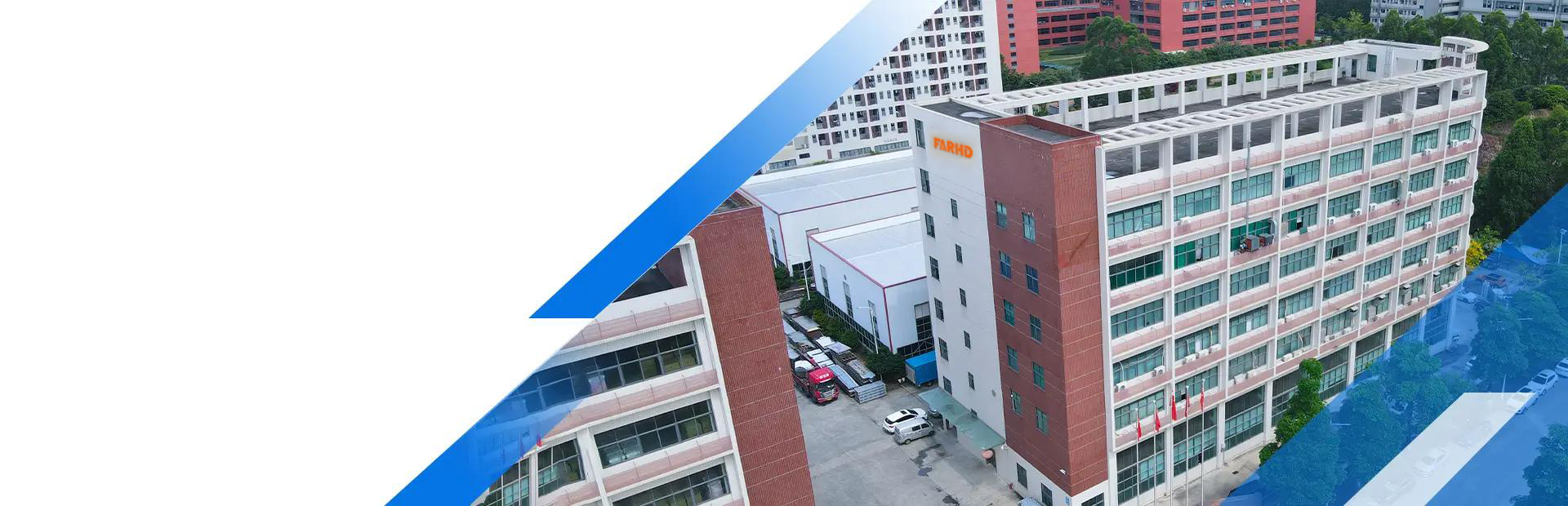
FARHD has manufactured video door phones and intercom systems since 1998, with 28 years of experience and full in-house R&D and production of core components—including TFT LCD screens, driver boards, and camera modules. The Guard Station reflects that integrated approach: display, camera input, call routing, and the indoor monitor interface designed to work as one system.
Why the Guard Station Deserves More Attention
Most apartment intercom specifications focus on the entrance: the outdoor station, the room list, the access methods, the indoor monitor. The guard station is often treated as an afterthought—a device to be included because the building has a security desk, not a device to be designed.
That is a missed opportunity, because the guard station is where several important functions converge:
Visitor coordination. When a visitor cannot find the apartment or the resident does not answer, the guard is often the person who resolves the situation.
Delivery handling. Couriers who need to reach a specific unit, or leave a package, interact with the guard station rather than the entrance station.
Resident communication. Residents call the guard desk for assistance, complaints, or access issues. A voice-only call is functional; a video call is better.
Emergency response. When something happens in the lobby or at the entrance, the guard is the first responder—and the station is their communication tool.
Building management visibility. The guard station is where access events, calls, and alerts are monitored and acted upon.
A guard station that supports video—both displaying the caller and providing its own camera feed—turns these functions from voice-only interactions into visual ones. That changes the quality of the interaction for everyone involved.
The 8″ Guard Station: A Larger Screen for a Working Desk
The 8″ touch screen is a practical choice for a guard station, and the size matters more than it might appear.
Room list and call management. A guard station often needs to display a directory or list of apartments, and an 8″ screen shows enough entries at once to be usable without constant scrolling.
Video display. When a resident or visitor calls, the guard needs to see who is calling. A larger display makes identification easier, particularly in a busy lobby where the guard is dividing attention between the screen and the physical space.
Camera feed. With USB camera support, the guard station can display the camera’s video—whether that is a view of the lobby, the entrance area, or another location the camera is pointed at. On an 8″ screen, that feed is large enough to be useful rather than decorative.
Touch interaction. Finger-sized controls and a clear interface reduce the effort of managing calls during a busy period.
Because FARHD produces TFT LCD screens in-house, display quality—brightness, viewing angle, color accuracy, and touch response—is controlled at the component level. For a device that operates continuously during building hours, that control matters.
USB Camera Support: What It Adds to the System
The USB camera support is the feature that distinguishes this Guard Station from a standard call terminal.
The camera is external, which means flexibility. The guard station itself does not need to be aimed at anything. A USB camera can be positioned where the view is actually needed—pointing at the lobby entrance, the reception desk, the package area, or wherever the building’s security priority lies.
The camera feed is available to residents. When a resident calls the Guard Station from their indoor monitor, they can view the video from the USB camera. This means the resident sees the guard’s location, not just hears a voice. In practice, this is useful for:
- Confirming the guard is present at the desk, which matters for after-hours calls and for buildings where the desk is not continuously staffed.
- Seeing the lobby context during a call about a delivery or a visitor.
- Verifying identity when a resident is speaking with someone they do not recognize.
- Adding a visual layer to routine interactions — asking about a package, reporting an issue, requesting access assistance.
The camera feed can support security monitoring. Beyond resident calls, the USB camera gives the guard a view of a location that may not be covered by the building’s main CCTV—or provides a local view that complements it.
Installation is simplified. A USB camera connects to the Guard Station without requiring a separate network video recorder, a separate power arrangement, or a separate software interface. It is part of the same system, configured through the same management center.
For integrators, this is a practical advantage: the guard station becomes a video-capable device without adding a parallel CCTV system. For developers, it means the management desk can have visual capability without a separate procurement and installation process.
How It Works: The Call Flow
The interaction is straightforward, which is part of its value.
Step 1: The resident initiates a call. From the indoor monitor in their apartment, the resident calls the Guard Station—for assistance, to report an issue, to ask about a delivery, or for any of the reasons residents contact the management desk.
Step 2: The Guard Station receives the call. The 8″ screen displays the incoming call, and the guard answers.
Step 3: The resident views the USB camera feed. On the indoor monitor, the resident can see the video from the USB camera connected to the Guard Station. This is the key capability: the resident is not just hearing the guard, but seeing the guard’s location and context.
Step 4: Two-way communication. The guard and resident speak, with the resident having visual confirmation of the situation at the desk.
Step 5: The call ends and the system returns to idle. The interaction is logged, and the station is ready for the next call.
For the resident, the experience is simple: call the guard, see the guard’s location, speak. For the guard, the experience is equally simple: answer the call, speak, and manage the interaction with visual context from their own screen.
Where This Configuration Makes a Difference
The combination of an 8″ Guard Station and a USB camera is particularly valuable in several building scenarios.
Buildings with a managed lobby. A guard or concierge is present during building hours, and residents need to reach them for assistance. The video feed confirms presence and context.
Buildings with after-hours coverage. When the desk is staffed by a rotating guard or a remote team, the resident can verify who they are speaking with and confirm the desk is occupied.
Buildings with a package or delivery area. The USB camera can be positioned to cover the package area, so residents calling about a delivery can see the relevant location.
Buildings with a reception desk that handles visitor coordination. When a visitor cannot reach an apartment, the guard is often the person who resolves it. Video capability makes that conversation more effective.
Buildings where the guard station is also a monitoring point. The USB camera feed gives the guard a view of an area that may not be covered by the main CCTV, or provides a local view that complements it.
Multi-building communities. Each building’s guard station can have its own USB camera, giving each desk a view of its own lobby or entrance.
Design Considerations for Integrators
Adding a guard station with USB camera support to an IP apartment system is straightforward, but a few practical points determine whether it works well.
Camera placement. The USB camera should be positioned to capture the view that matters—typically the lobby, the reception desk, or the area the guard needs to monitor. Confirm the field of view during commissioning rather than assuming the default position is adequate.
Lighting conditions. The camera’s performance depends on the lighting at its location. Test the feed during the day, at night, and in backlit conditions if the area is exposed to windows or strong artificial light.
Network considerations. The Guard Station is part of the IP system, so the network path between the Guard Station, the indoor monitors, and the management center should be verified—including latency and jitter, since call quality depends on them.
Call routing configuration. Confirm that residents can reach the Guard Station from their indoor monitors, and that the call flow behaves as expected when the Guard Station is busy or unattended.
Documentation. Record the Guard Station’s address, the USB camera’s position, and the call routing configuration in the handover file—so that future maintenance does not require reverse-engineering the setup.
Privacy considerations. A camera at the guard desk captures the guard and the surrounding area. Where the camera views public or semi-public space, the building’s privacy notice should reflect it, and the guard should be informed. This is the building operator’s responsibility, but the system should make compliance practical.
Where the Guard Station Fits in the Broader System
The 8″ Guard Station is designed to work within FARHD’s IP apartment video intercom architecture, alongside the outdoor station, the indoor monitors, and the management center.
With the 8″ apartment outdoor station — the outdoor station handles the building entrance, while the Guard Station handles the management desk. Both are part of the same system, with consistent directory management and call routing.
With 7″ and 10″ indoor monitors — residents interact with the Guard Station from their indoor monitors, and the newly designed UI on those monitors supports the call flow, including the USB camera video display.
With the management center — the Guard Station is configured and managed through the same management center that handles card issuance, face registration, directory updates, and room number configuration. This keeps the administrative workflow consistent across devices.
With per-apartment second doorbells — in buildings where each apartment supports a second video doorbell, the Guard Station adds another point of contact within the same system.
For integrators, this means one system architecture, one management interface, and one support channel—rather than a guard station from one vendor, cameras from another, and an intercom system from a third.
Backed by FARHD’s Manufacturing Depth
The 8″ Guard Station comes from FARHD, a professional video intercom manufacturer founded in 1998 with 28 years of experience in video door phones and intercom systems.
FARHD specializes in full in-house R&D and production—from TFT LCD screens, driver boards, and camera modules to complete villa and apartment building intercom systems. The product line covers IP intercom systems for villas and apartments, 2-wire IP systems, 4-wire CVBS and AHD systems, analog apartment systems, wireless video doorbells, audio intercom systems, and various kits.
Products hold international certifications including CE, FCC, RoHS, IP65 water resistance, and EMC. Every unit undergoes a 24-hour aging test before shipment. Supported by 28 direct sales branches across China, FARHD has completed over 10,000 large-scale building video intercom projects, including ultra-large communities with 1,000, 3,000, and even over 5,000 households.
For partners building a private-label product line, OEM and ODM services cover customized software and hardware development, UI design, functional module adjustments, and tailored packaging solutions—and because core components are produced in-house, customization can extend beyond branding and packaging to display specifications, driver board configuration, and functional behavior. SKD solutions are available for assembly factories across Europe, the Middle East, South America, Southeast Asia, the United States, Russia, India, Iran, Turkey, South Korea, and Italy.
A hassle-free after-sales service system ensures that upon product delivery, a dedicated technical support group is established to assist with programming, device installation, and wiring connections throughout the process.
A Guard Station That Sees and Is Seen
The 8″ Guard Station with USB camera support adds a capability that apartment intercom systems have long needed: a visual presence at the management desk. When residents call the guard, they see the guard’s location. When the guard manages the lobby, they have a view of the area that matters. And when the building’s security depends on coordination between the entrance, the desk, and the apartments, the system supports that coordination with video rather than voice alone.
For distributors, integrators, and developers specifying IP apartment systems, the Guard Station is a practical addition—one that improves the resident experience, supports the guard’s work, and fits within the same management framework as the rest of the system.
Samples and technical documentation are available for evaluation. If you are specifying a system for an apartment project, we welcome the conversation.
We look forward to building a strong partnership with you and jointly shaping the future of smart living.
Email: info@farhd.com
Website: www.farhd.com
WhatsApp: +86 188 2370 9809 / +86 199 2545 1918
Post time: Nov-18-2026